 CrealityCloud
Fișiere pentru imprimante 3D | Fișier 3MF | Lotus Pen Stand
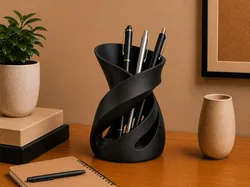
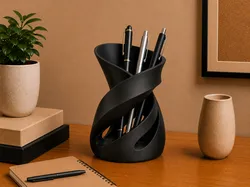
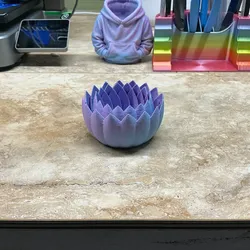
Design ConceptThe Lotus Pen Stand combines functionality with a beautiful floral design, resembling a blooming lotus. Its artistic petals provide an elegant and appealing look, making it more than just a practical desk accessory.PurposeThis stand is perfect for organizing your pens, pencils, and other writing tools while adding a touch of nature-inspired design to your workspace.Printing RecommendationsUse PLA filament with a layer height of 0.2mm to ensure the smooth curves of the lotus petals.Use Filament swap after green bottom plate or use AMS for multicolour printing.Recommended slicer parametersLayer height: 0.12nmmWall loops: 3Infill: 20% GyroidSupports: Auto Tree Organic (threshold angle 15)Suppor interface layers: 2Support top z distance: 0.25 mmSupport interface spacing: 0.1mmNo assembly required as the design is integrated into a single print. Simply place it on your desk and organize your writing instruments.
Direct link to the original creator's page
More from ZeroForm Studio
 CrealityCloud
 CrealityCloud
 CrealityCloud
 CrealityCloud
 CrealityCloud
 CrealityCloud
Similar Models
 CrealityCloud
 CrealityCloud
 CrealityCloud
 CrealityCloud
 CrealityCloud
 CrealityCloud
 CrealityCloud
 CrealityCloud
Model Specifications
Frequently Asked Questions
How do I download Fișiere pentru imprimante 3D | Fișier 3MF | Lot...?
Click the "View on CrealityCloud" button above to visit the original model page on CrealityCloud. You can download the 3MF, STL file directly from the creator's page for free.
What 3D printer can I use for this model?
This model is compatible with most FDM 3D printers (Creality Ender 3, Prusa MK3S+, Bambu Lab, etc.) and resin printers (Elegoo, Anycubic). Check the original page for recommended print settings and materials.
Is this 3D model free to download?
Yes, this model is available as a free download on CrealityCloud. Some creators accept tips or donations.
Can I modify this file?
Check the license (CC BY-NC) on the original CrealityCloud page. Most STL files can be modified using free software like Blender, TinkerCAD, or Meshmixer.