 thingiverse
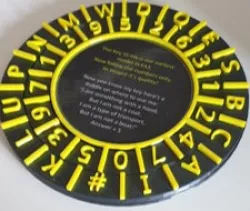
Fringe Decoder Ring
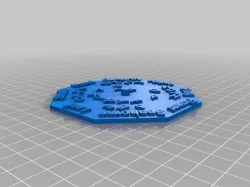
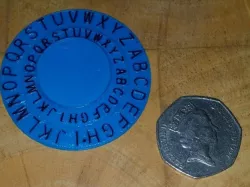
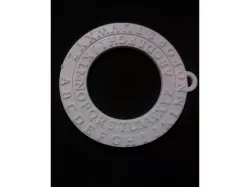
The 2008 TV Series “Fringe†contains glyphs (pictures) between commercials that provide insights into each episode. This is a decoder ring that allows those glyphs to be decoded.
The translation of the glyphs into specific characters has been provided by other fans of the show on the net. I simply created this decoder ring based on that information.
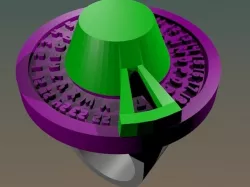
Each glyph contains a picture and a bright yellow dot and corresponds to a single letter of the alphabet. To decode a picture, align the two rings so the description of the picture is visible, and then select the hole that corresponds with the position of the dot. For example, a picture of a hand with a dot in the upper left corner would correspond to the letter “Xâ€.
Enjoy.
Instructions
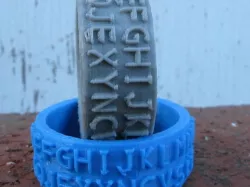
Print both the lower and upper rings.
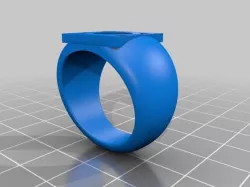
Press the rings together to form a single decoder ring.
While watching “Fringeâ€, decode each glyph.
Direct link to the original creator's page
More from terryr
Similar Models
Model Specifications
Frequently Asked Questions
How do I download Fringe Decoder Ring?
Click the "View on thingiverse" button above to visit the original model page on thingiverse. You can download the STL file directly from the creator's page for free.
What 3D printer can I use for this model?
This STL file is compatible with most FDM 3D printers (Creality Ender 3, Prusa MK3S+, Bambu Lab, etc.) and resin printers (Elegoo, Anycubic). Check the original page for recommended print settings and materials.
Is this 3D model free to download?
Yes, this model is available as a free download on thingiverse. Some creators accept tips or donations.
Can I modify this STL file?
Most STL files can be modified using free software like Blender, TinkerCAD, or Meshmixer. Check the license on the original thingiverse page to see if modifications are permitted by the creator.