 Thangs
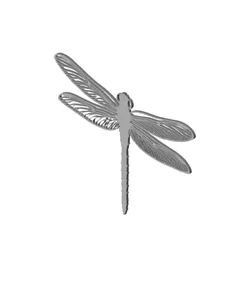
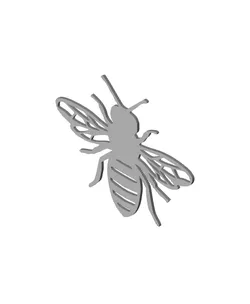
dragonfly wall art garden insect decor
**Become a Member to receive**
✔️ LOTS of FreeBees
✔️ Commercial Rights (Collector & VIP Plans)
✔️ Content Requests
✔️ 50% Off My Entire Cults3D Library
**Kaoz Studios Discord**
https://discord.com/channels/1172700543077077083/1172700543681040398
**Settings**
Use basic settings that your slicer prompts. I have made the files to fit most universal 220x220 print beds. My files can be resized on all 3 axis to fit **your** needs. You can resize to your preferences accordingly. I make our wall art with 15% to 20% infill, on draft settings usually - and they come out great. I use a 0.6 or 0.4 nozzle (for finer finish), PLA at 210F -215F. (PETG slightly hotter). Zed (Z-Axis) = 3.5mm. For varients in print/line thickness you can add or subtract 0.2 to 0.5 to your XY settings in your slicer. Keep in mind to make sure you still have all the connection points with at least TWO solid lines next to any negative space to avoid "fragile" prints.
Direct link to the original creator's page
More from KaozKitten
 Thangs
 Thangs
 Thangs
 Thangs
 Thangs
 Thangs
Similar Models
 Thangs
 Thangs
 Thangs
 Thangs
 Thangs
 Thangs
 Thangs
 Thangs
Model Specifications
Frequently Asked Questions
How do I download dragonfly wall art garden insect decor?
Click the "View on Thangs" button above to visit the original model page on Thangs. You can download the STL file directly from the creator's page for free.
What 3D printer can I use for this model?
This model is compatible with most FDM 3D printers (Creality Ender 3, Prusa MK3S+, Bambu Lab, etc.) and resin printers (Elegoo, Anycubic). Check the original page for recommended print settings and materials.
Is this 3D model free to download?
Yes, this model is available as a free download on Thangs. Some creators accept tips or donations.
Can I modify this file?
Check the license (Thangs Standard License) on the original Thangs page. Most STL files can be modified using free software like Blender, TinkerCAD, or Meshmixer.