 thingiverse
Flame
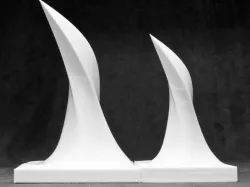
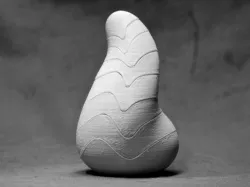
Here's another design I did using Fusion 360's organic modeling tools. I start with a plane in sculpt mode and stretch, distort and twist the surface until I get an interesting shape. Here the creases near the tip transition nicely to a smooth rounded shape at the base. Once I printed it, the shape reminded me of a flame so I painted one of the prints.
Instructions
Designed in Fusion 360 (free to hobbyists!), sliced in Simplify3D, and printed on a MakerBot Replicator2 with BuildTak on a glass build plate with a raft and MakerBot filament with the following settings:
Infill = 10%
Layer height = 0.2
No. shells = 4
Feedrate = 40
Travel Feed = 55
Temperature = 220C
Direct link to the original creator's page
Also Available On
More from stevemedwin
Similar Models
Model Specifications
Frequently Asked Questions
How do I download Flame?
Click the "View on thingiverse" button above to visit the original model page on thingiverse. You can download the STL file directly from the creator's page for free.
What 3D printer can I use for this model?
This STL file is compatible with most FDM 3D printers (Creality Ender 3, Prusa MK3S+, Bambu Lab, etc.) and resin printers (Elegoo, Anycubic). Check the original page for recommended print settings and materials.
Is this 3D model free to download?
Yes, this model is available as a free download on thingiverse. Some creators accept tips or donations.
Can I modify this STL file?
Most STL files can be modified using free software like Blender, TinkerCAD, or Meshmixer. Check the license on the original thingiverse page to see if modifications are permitted by the creator.