 thingiverse
Finding Volume: Shell Method
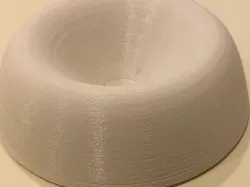
This activity is for a Calculus class to help students visualize how to calculate volume by the shells method. Students will be given a typical volume problem and create 5 to 7 cylinder shells to approximate the shape. Then they make the actual shape and calculate the volume.
This is the companion activity to Finding Volume: Disc Method http://www.thingiverse.com/thing:1711469
Print Settings
Printer Brand:
MakerBot
Printer:
MakerBot Replicator
Rafts:
Yes
Supports:
No
Resolution:
standard
Infill:
10%
How I Designed This
To create the rotated object and the cylinder shells I first got the 2 dimensional graph using desmos.com. Then I did a printscreen to capture the graph [figure 1]. I used an online SVG converter and opened it in 123d Design. I used the polyline tool to enclose the region [figure 2]. Then I used polyline again to draw a line acting as the y axis that this shape would get rotated over [Figure 3]. Next I drew rectangles at each interval point with a small width [Figure 4]. Then I used the revolve tool to rotate each rectangle around the line I drew [Figures 5 and 6]. To get the full object I revolved the whole graph around the line [Figure 7]. I also printed the object with a slice taken out so students can see the cross section. This was done by inserting a wedge and then subtracting it from the object [Figure 8].
Figure 1
Figure 2
Figure 3
Figure 4
Figure 5
Figure 6
Figure 7
Figure 8
Standards
NGSS
CCSS
Overview and Background
Project: Finding Volume: Shell Method
Students understand how the shell method for finding volume works and create a model of both the approximation with shells and the actual 3D figure.
Students will learn how to find the volume of a region using the shells method and why the formula works. These visuals will really help students see how the rotated 3d object ends up looking. Lesson Plan and Activity
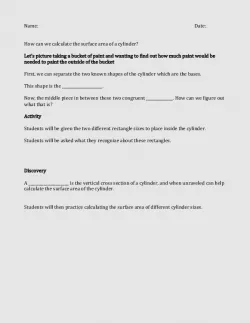
The full details are in the attached worksheet. Here is a brief overview. First assign each student (or group) a region that they will be rotating around the y-axis. Then have them use desmos.com, or a similar graph plotter, to plot their region. Then they will split the x values into 6-8 subintervals and create corresponding cylinder shells with radius x and height f(x). Next, they will think about the full region rotated and print that. Then they will get the formula for surface area of a cylinder and volume of the rotated region. Finally, they will calculate the volume for their region. Skills Learned
Volume of a Region
cylinder shells
Duration of Lesson
The activity itself can be completed in one day but printing the rotated object will take a couple hours. Preparation
This activity should be done at the point in calculus when students first learn how to find volume by shells. They probably have already done volume by discs and have all of the pre-requisite knowledge, such as knowing how to evaluate integrals. You might need to remind them of the equation for circumference of a circle. Rubric and Assessment
Here is a sample rubric to use with the worksheet.
Question (points)
1 (2)
2 (2)
3 (10)
4 (20)
5 (5)
6 (11)
Total 50 References
It could be helpful to give a quick review of Riemann sums or have students watch a video on the topic.
https://www.khanacademy.org/math/integral-calculus/indefinite-definite-integrals/riemann-sums/v/simple-riemann-approximation-using-rectangles.
Direct link to the original creator's page
More from ereis
Similar Models
 thingiverse
 thingiverse
 thingiverse
 thingiverse
 thingiverse
 thingiverse
 thingiverse
 thingiverse
Model Specifications
Frequently Asked Questions
How do I download Finding Volume: Shell Method?
Click the "View on thingiverse" button above to visit the original model page on thingiverse. You can download the STL file directly from the creator's page for free.
What 3D printer can I use for this model?
This STL file is compatible with most FDM 3D printers (Creality Ender 3, Prusa MK3S+, Bambu Lab, etc.) and resin printers (Elegoo, Anycubic). Check the original page for recommended print settings and materials.
Is this 3D model free to download?
Yes, this model is available as a free download on thingiverse. Some creators accept tips or donations.
Can I modify this STL file?
Most STL files can be modified using free software like Blender, TinkerCAD, or Meshmixer. Check the license on the original thingiverse page to see if modifications are permitted by the creator.