 CrealityCloud
3D printer bestanden | 3MF | Macro keypad (clicker)
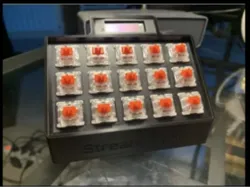
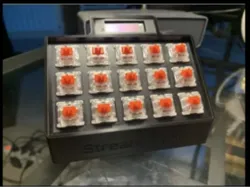
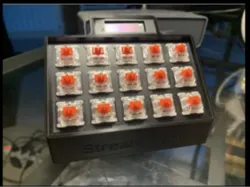
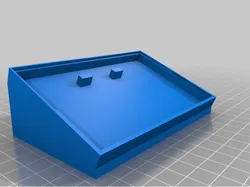
## Design ConceptThe Macro Keypad is designed to enhance productivity for gamers and professionals by providing swift access to frequently used shortcuts and macros. Its minimalist design and compact nature make it ideal for desktop use without occupying much space.## FunctionThis keypad is used to execute complex sequences with a single click. It is useful in gaming, video editing, and other professional applications where efficiency and speed are crucial.## Printing AdvicePrinting is recommended with a robust material like ABS or PLA for durability. Ensure precise calibration of your printer to achieve high key sensitivity, avoiding any deformation.## Assembly InstructionsAfter printing, the keypad can be assembled by inserting the switches into the provided slots. Ensure all electronic components are securely soldered and fitted into the casing covered by the top panel.
Direct link to the original creator's page
More from adamek
 CrealityCloud
 CrealityCloud
 CrealityCloud
 CrealityCloud
 CrealityCloud
 CrealityCloud
Similar Models
 CrealityCloud
CrealityCloud
CrealityCloud
CrealityCloud
CrealityCloud
 Thingiverse
 CrealityCloud
 Thingiverse
 Thingiverse
 Thingiverse
Model Specifications
Frequently Asked Questions
How do I download 3D printer bestanden | 3MF | Macro keypad (clic...?
Click the "View on CrealityCloud" button above to visit the original model page on CrealityCloud. You can download the 3MF, STL file directly from the creator's page for free.
What 3D printer can I use for this model?
This model is compatible with most FDM 3D printers (Creality Ender 3, Prusa MK3S+, Bambu Lab, etc.) and resin printers (Elegoo, Anycubic). Check the original page for recommended print settings and materials.
Is this 3D model free to download?
Yes, this model is available as a free download on CrealityCloud. Some creators accept tips or donations.
Can I modify this file?
Check the license (see original page) on the original CrealityCloud page. Most STL files can be modified using free software like Blender, TinkerCAD, or Meshmixer.