 thingiverse
dual nozzle alignment method.
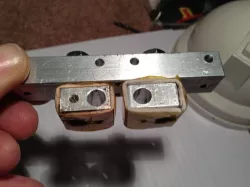
How I was able to realign and level my dual extruders after a repair.
Instructions
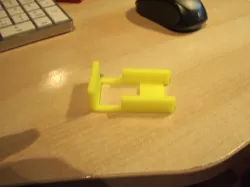
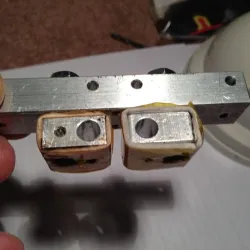
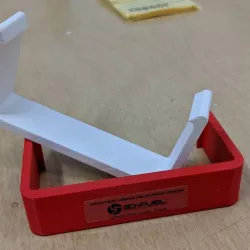
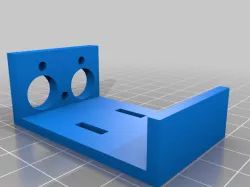
I needed to clean a clog and replace the insulation around the heater. I downloaded this part as to make my life easier... But after reading 'einer_designs' description on what was done, I thought of another way. The idea was to remove the heater off the threaded shaft then attach the extruders nozzle to it using another source. I found a nut that had the same thread as the shaft and nozzle - this held the two parts together as they would be when installed onto the heater. After that I threaded the two parts in to the aluminum holder and attached the printed part. Now I was free to turn both parts down until I felt them hit the printed stopper - when they were both touching the part I tightened the nut up to the aluminum base to hold them from moving - I then installed the top nut to sintch it all tight so they would not loose their place when installing the heaters - I then removed the alignment part and twisted on the heaters... I did not go to tight with the heaters but wanted to make sure they were in the alignment as when I took them off - once in place I installed the nozzles and made sure they were very snug as to not let any plastic leak out between the seem. That's it... It took a little messing with as I was trying to tighten the nozzles too much and it would break my alignment loose and I would loose my setup. I found if I just snugged then down it worked. After reinstalling all the parts, and installing them back onto the machine, I re-levelled the build pad and completed some dual colour and single colour prints, can't be happier!!! Seems as thou both nozzles are aligned perfect or dam close to it!
Direct link to the original creator's page
Also Available On
More from camstuff
Similar Models
 thingiverse
 thingiverse
 cults3d
 thingiverse
 myminifactory
 cults3d
 thingiverse
 thingiverse
Model Specifications
Frequently Asked Questions
How do I download dual nozzle alignment method.?
Click the "View on thingiverse" button above to visit the original model page on thingiverse. You can download the STL file directly from the creator's page for free.
What 3D printer can I use for this model?
This STL file is compatible with most FDM 3D printers (Creality Ender 3, Prusa MK3S+, Bambu Lab, etc.) and resin printers (Elegoo, Anycubic). Check the original page for recommended print settings and materials.
Is this 3D model free to download?
Yes, this model is available as a free download on thingiverse. Some creators accept tips or donations.
Can I modify this STL file?
Most STL files can be modified using free software like Blender, TinkerCAD, or Meshmixer. Check the license on the original thingiverse page to see if modifications are permitted by the creator.