 thingiverse
Drawing
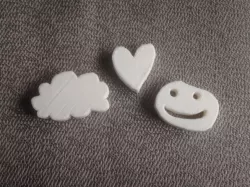
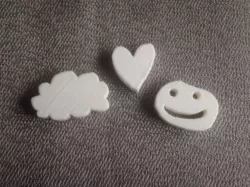
Draw a shape and print it out!
This isn't a 3D design, it's a 3D-design tool. The demo files are just examples; press "Open in Customizer" to get started with your own design.
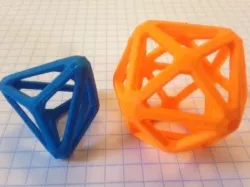
The Drawing Tool utilizes the "polygon" function in OpenSCAD through the MakerBot Customizer so that you can create a quick STL file of any mouse-drawn shape.
=====
Twitter: twitter.com/mathgrrl
Hacktastic blog: www.mathgrrl.com/hacktastic
Shapeways geekhaus store: www.shapeways.com/shops/mathgrrl
This design and all associated pictures and files are licensed under the Creative Commons Attribution Non-Commercial Share Alike license. If you want to use designs, images, or files outside of the terms of this license, please email [email protected].
Direct link to the original creator's page
Also Available On
More from mathgrrl
Similar Models
Model Specifications
Frequently Asked Questions
How do I download Drawing?
Click the "View on thingiverse" button above to visit the original model page on thingiverse. You can download the STL file directly from the creator's page for free.
What 3D printer can I use for this model?
This STL file is compatible with most FDM 3D printers (Creality Ender 3, Prusa MK3S+, Bambu Lab, etc.) and resin printers (Elegoo, Anycubic). Check the original page for recommended print settings and materials.
Is this 3D model free to download?
Yes, this model is available as a free download on thingiverse. Some creators accept tips or donations.
Can I modify this STL file?
Most STL files can be modified using free software like Blender, TinkerCAD, or Meshmixer. Check the license on the original thingiverse page to see if modifications are permitted by the creator.