 Thingiverse
Switchbot Blind Tilt Mount
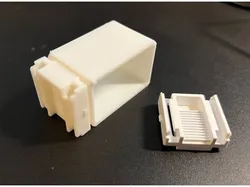
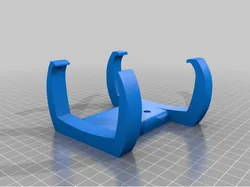
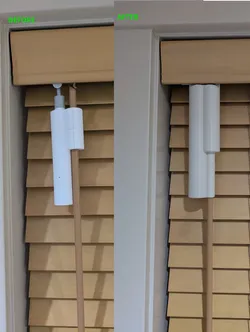
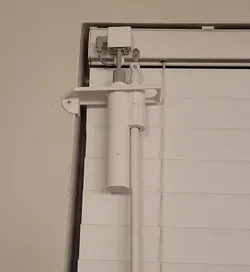
This is a mounting collar for the Switchbot Blind Tilt, which is a handy little device that can open and close blinds. It comes with a little sticky mounting pad that actually does a surprisingly good job of keeping it in place. Mine stayed up well over a year before the constant twisting (that is what it does, after all) worked its pad into ineffectiveness.At any rate, this replaces the mount and the pad it sticks to with a collar and a replacement mount that the Switchbot Blint Tilt should snap right into. It mounts to the blinds by fitting over the headrail. This means, of course, that you'll need to remove your headrail and measure it quite precisely -- the collar should fit snugly to keep it from sliding around too much, but it doesn't have to be tight.The OpenSCAD file is included, and the only two parameters are at the top, the depth and height of your headrail. Most headrails tend to be pretty uniform from one end to the other, but they can flex a bit, and you'll probably want to measure it where the mount would go.I printed this on a Bambu H2D using PLA, but PETG for supports. Since precision is required, I printed it upside-down relative to the orientation of the model with tree supports. I didn't create a version for testing the fit of the ring (you may do so, of course) partly because changing the orientation of printing the part would also change the fit.
Direct link to the original creator's page
Also Available On
More from Queued
Similar Models
 Cults3D
 Printables
 Printables
 Cults3D
 Thingiverse
 Printables
 Thingiverse
 Printables
Model Specifications
Frequently Asked Questions
How do I download Switchbot Blind Tilt Mount?
Click the "View on Thingiverse" button above to visit the original model page on Thingiverse. You can download the STL file directly from the creator's page for free.
What 3D printer can I use for this model?
This model is compatible with most FDM 3D printers (Creality Ender 3, Prusa MK3S+, Bambu Lab, etc.) and resin printers (Elegoo, Anycubic). Check the original page for recommended print settings and materials.
Is this 3D model free to download?
Yes, this model is available as a free download on Thingiverse. Some creators accept tips or donations.
Can I modify this file?
Check the license (see original page) on the original Thingiverse page. Most STL files can be modified using free software like Blender, TinkerCAD, or Meshmixer.