 prusaprinters
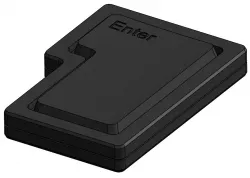
Dramatic USB Button
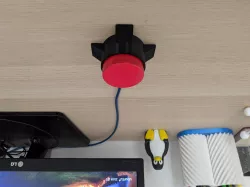
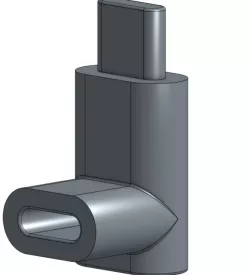
Hi everyone!This is a 3D-printed USB button I created a while back.As many people asked for the files, I have decided to upload it here.If you like this project, follow me on Instagram (@do.robotics).What do you need1 x ATtiny85 development board1 x Resistor (I'm using a 390ohm)1 x SPST momentary push button (normally open)1 x USB Extension Cable (desired length)1 x 3mm screw - used to hold the female USB connector in place.Soldering kitJumper wiresAssemblyThis should be straight forward with the provided images.Some tips:Save some space by soldering the resistor directly to one leg of the resistor.Solder the 3 ATtiny pins facing up, as can be seen in the picture.Make sure to heat-shrink/wrap everywhere, to avoid shorts.Codehttps://github.com/dordchn/usb-buttonImportant noteThis may be obvious, but I still want to clarify that building and using the button is at your own risk. However, I can testify that I built mine a few months back and It works perfect so far :)
Direct link to the original creator's page
Also Available On
More from dor
Similar Models
 thingiverse
 prusaprinters
 prusaprinters
 prusaprinters
 prusaprinters
 prusaprinters
 prusaprinters
 prusaprinters
Model Specifications
Frequently Asked Questions
How do I download Dramatic USB Button?
Click the "View on prusaprinters" button above to visit the original model page on prusaprinters. You can download the STL file directly from the creator's page for free.
What 3D printer can I use for this model?
This STL file is compatible with most FDM 3D printers (Creality Ender 3, Prusa MK3S+, Bambu Lab, etc.) and resin printers (Elegoo, Anycubic). Check the original page for recommended print settings and materials.
Is this 3D model free to download?
Yes, this model is available as a free download on prusaprinters. Some creators accept tips or donations.
Can I modify this STL file?
Most STL files can be modified using free software like Blender, TinkerCAD, or Meshmixer. Check the license on the original prusaprinters page to see if modifications are permitted by the creator.