 Thingiverse
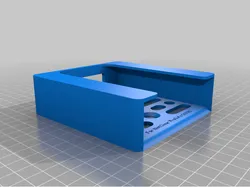
NetGear ProSafe GS105 mount
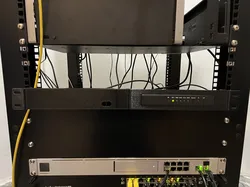
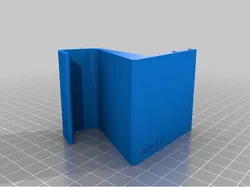
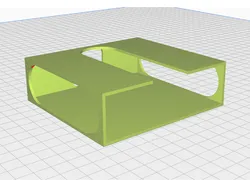
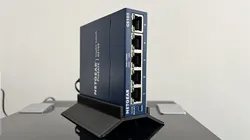
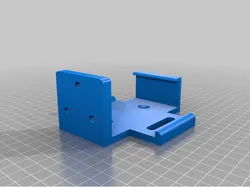
I recently got a second-hand NetGear GS105 ethernet switch. Although it does have it's own mounting screw holes, they don't do too much, and it doesn't look the cleanest. I tried a few other mounting options, but they were either too weak or didn't look very clean. Since I hadn't tried my hand at CAD for some time, I decided it would be a good chance to get back in. I modeled up this mount, and left some extra space for printers that aren't the most calibrated. I added some custom settings in the slicer. These were sliced in Cura (If you know how to put these into PrusaSlicer, please leave it in the comments below). Once printed, use a 3/16 or M5 countersunk screw to mount. Slide the network switch into the front, and the rear ports and switches should be easily accessible.
Direct link to the original creator's page
Also Available On
More from sjsaes
Similar Models
 Printables
 Printables
 Thingiverse
 Thingiverse
 Printables
 Thingiverse
 Printables
 Thingiverse
Model Specifications
Frequently Asked Questions
How do I download NetGear ProSafe GS105 mount?
Click the "View on Thingiverse" button above to visit the original model page on Thingiverse. You can download the STL file directly from the creator's page for free.
What 3D printer can I use for this model?
This model is compatible with most FDM 3D printers (Creality Ender 3, Prusa MK3S+, Bambu Lab, etc.) and resin printers (Elegoo, Anycubic). Check the original page for recommended print settings and materials.
Is this 3D model free to download?
Yes, this model is available as a free download on Thingiverse. Some creators accept tips or donations.
Can I modify this file?
Check the license (see original page) on the original Thingiverse page. Most STL files can be modified using free software like Blender, TinkerCAD, or Meshmixer.