 thingiverse
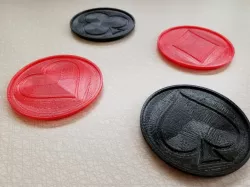
Customizable Stackable Coasters
Customizable Stackable Coasters
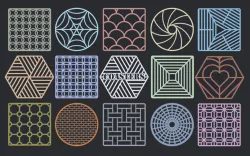
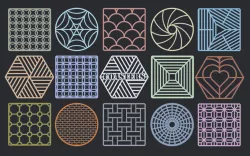
Change the image to use your own logo or graphic.
Example images included for reference.
Instructions:
* Use a app link Gimp or Photoshop to reduce your image to about 65,000 total pixels or less. About 256x256 but it doesn't need to be perfectly square.
* Invert the image if needed so that it is a black background.
* Optionally, add a 1 pixel radius blur after reducing the image to help make a smoother mess. (In Gimp this is the Gausian Blur under filters.)
* Save or export you image as a .PNG
* load the OpenSCAD file and change the image_file variable to the path of you PNG image.
* Important: Also change the image_pixels variable to be the actual width and height in pixels or your image. Other variables can be adjusted to your liking.
* render and save as an STL from OpenSCAD.
* Slice and print to taste.
Note: sometimes the STL from OpenSCAD directly might not load properly to the slicer. Use a program like MeshMixer to correct it if this happens.
Direct link to the original creator's page
More from quantumz

Similar Models
 thingiverse
 prusaprinters
 thingiverse
 thingiverse
 prusaprinters
 thingiverse
 cults3d
 thingiverse
Model Specifications
Frequently Asked Questions
How do I download Customizable Stackable Coasters?
Click the "View on thingiverse" button above to visit the original model page on thingiverse. You can download the STL file directly from the creator's page for free.
What 3D printer can I use for this model?
This STL file is compatible with most FDM 3D printers (Creality Ender 3, Prusa MK3S+, Bambu Lab, etc.) and resin printers (Elegoo, Anycubic). Check the original page for recommended print settings and materials.
Is this 3D model free to download?
Yes, this model is available as a free download on thingiverse. Some creators accept tips or donations.
Can I modify this STL file?
Most STL files can be modified using free software like Blender, TinkerCAD, or Meshmixer. Check the license on the original thingiverse page to see if modifications are permitted by the creator.