 myminifactory
Customizable Hinge/Snap Cube Net
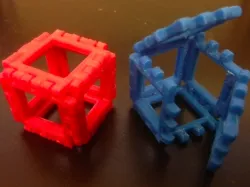
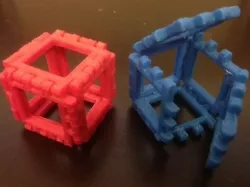
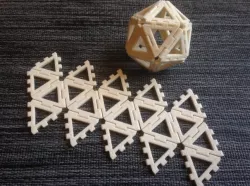
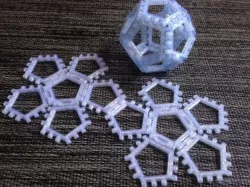
Print a cube flat and then fold it up and snap it together! Prints fully assembled with hinges intact. Use the Customizer to change the side length, thickness, and hinge/snap clearances.
MakerHome, Day 345:
http://makerhome.blogspot.com/2014/08/day-345-customizable-hingesnap-cube-nets.html
Instructions
The demo file is optimized for .3mm layer height on a Replicator 2, but you can use the Customizer to change clearances for whatever you need. It is essential to print this model with no supports in order for the conical hinges to work.
MakerHome, Day 345:
http://makerhome.blogspot.com/2014/08/day-345-hinge-snap-cubes.html
=====
Twitter: twitter.com/mathgrrl
Hacktastic blog: mathgrrl.com/hacktastic
Shapeways geekhaus store: shapeways.com/shops/mathgrrl
This design and all associated pictures and files are licensed under the Creative Commons Attribution Non-Commercial Share Alike license. If you want to use designs, images, or files outside of the terms of this license, please email [email protected].
Direct link to the original creator's page
More from mathgrrl

Similar Models
 thingiverse
 pinshape
 cgtrader
 myminifactory
 myminifactory
 myminifactory
 myminifactory
 thingiverse
Model Specifications
Frequently Asked Questions
How do I download Customizable Hinge/Snap Cube Net?
Click the "View on myminifactory" button above to visit the original model page on myminifactory. You can download the STL file directly from the creator's page.
What 3D printer can I use for this model?
This STL file is compatible with most FDM 3D printers (Creality Ender 3, Prusa MK3S+, Bambu Lab, etc.) and resin printers (Elegoo, Anycubic). Check the original page for recommended print settings and materials.
Is this 3D model free to download?
This is a premium model priced at on myminifactory. Premium models often include higher detail, multiple parts, and print-tested files.
Can I modify this STL file?
Most STL files can be modified using free software like Blender, TinkerCAD, or Meshmixer. Check the license on the original myminifactory page to see if modifications are permitted by the creator.