 thingiverse
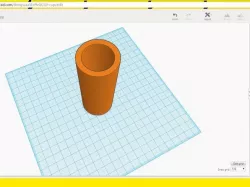
Cup
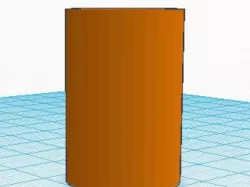
This is a cup.
Print Settings
Printer:
Micro 3D
Rafts:
No
Supports:
No
How I Designed This
How I Designed This
I started with a basic cylinder. Then I scaled it up and duplicated it. Next I scaled the duplicate and fit it into the other one. I turned it into a hole and grouped them.
Custom Section
Objectives
The goal of this project is to create a cup and then paint it.
Audiences
This is for any grade because anyone can do it.
Preparation
Teachers will only need to create Tinkercad accounts for the students.
Steps!
Students will design and pain a cup of their own.
Results
Students should have learned how to design and print 3D models as well as paint.
Direct link to the original creator's page
More from kinggaann
Similar Models
Model Specifications
Frequently Asked Questions
How do I download Cup?
Click the "View on thingiverse" button above to visit the original model page on thingiverse. You can download the STL file directly from the creator's page for free.
What 3D printer can I use for this model?
This STL file is compatible with most FDM 3D printers (Creality Ender 3, Prusa MK3S+, Bambu Lab, etc.) and resin printers (Elegoo, Anycubic). Check the original page for recommended print settings and materials.
Is this 3D model free to download?
Yes, this model is available as a free download on thingiverse. Some creators accept tips or donations.
Can I modify this STL file?
Most STL files can be modified using free software like Blender, TinkerCAD, or Meshmixer. Check the license on the original thingiverse page to see if modifications are permitted by the creator.