 thingiverse
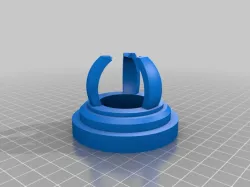
Cube Stand
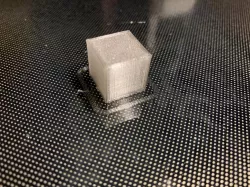
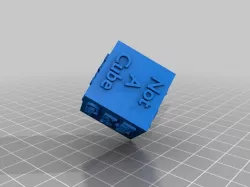
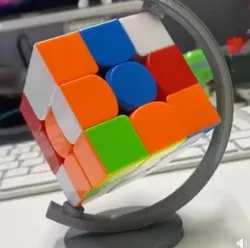
I got so excited about the first print from my new MakerBot (a 20 mm cube) that I decided I wanted to make a stand for it. After some experimentation with the OpenSCAD and ReplicatorG software, I came up with this. It was the second thing I printed out on the MakerBot, and it looks pretty decent. I\'m going to print out a Glow-in-the-dark cube to stick in it when my new plastic arrives.
Instructions
You should be able to open, render, and export it in OpenSCAD. It's not truly parametric, but there are enough useful variables that, with some tweaking, changing the design (and especially the object it's able to hold up) should be fairly simple.
Direct link to the original creator's page
Also Available On
More from mesaultralightmanufactur
Similar Models


Model Specifications
Frequently Asked Questions
How do I download Cube Stand?
Click the "View on thingiverse" button above to visit the original model page on thingiverse. You can download the STL file directly from the creator's page for free.
What 3D printer can I use for this model?
This STL file is compatible with most FDM 3D printers (Creality Ender 3, Prusa MK3S+, Bambu Lab, etc.) and resin printers (Elegoo, Anycubic). Check the original page for recommended print settings and materials.
Is this 3D model free to download?
Yes, this model is available as a free download on thingiverse. Some creators accept tips or donations.
Can I modify this STL file?
Most STL files can be modified using free software like Blender, TinkerCAD, or Meshmixer. Check the license on the original thingiverse page to see if modifications are permitted by the creator.