 myminifactory
Cube Box
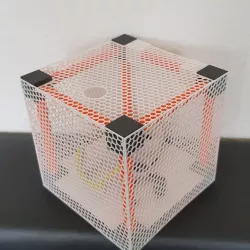
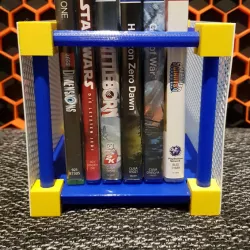
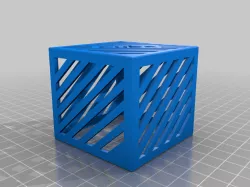
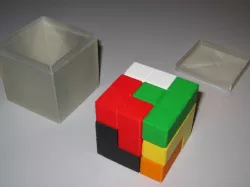
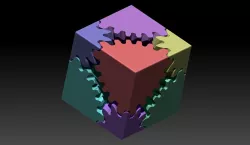
Here is my new created Box Cube
Read this before you print :
-print all parts
12 poles (brim or raft optional)
3 Walls (left , right , center )
1 back Wall
1 Top
1 Bottom
support does not require
you can glue this all parts togehter, not recommand
clean all the print parts
you can print this in 0.2 and 0.3 (0.4 or higher not testet)
And here comes the special tricky part
print the walls without top and bottom layers (lok the pictures in the gallery) , print only with the infill .
the best results is the infill honeycomb or however you want.
glued the walls on the cube and you have finished a great cube
https://www.youtube.com/watch?v=etIc7Zix0FU
Attention is an work in progress , bugs and troubles are maybye
Direct link to the original creator's page
Also Available On
More from christoph
Similar Models

Model Specifications
Frequently Asked Questions
How do I download Cube Box?
Click the "View on myminifactory" button above to visit the original model page on myminifactory. You can download the STL file directly from the creator's page.
What 3D printer can I use for this model?
This STL file is compatible with most FDM 3D printers (Creality Ender 3, Prusa MK3S+, Bambu Lab, etc.) and resin printers (Elegoo, Anycubic). Check the original page for recommended print settings and materials.
Is this 3D model free to download?
This is a premium model priced at on myminifactory. Premium models often include higher detail, multiple parts, and print-tested files.
Can I modify this STL file?
Most STL files can be modified using free software like Blender, TinkerCAD, or Meshmixer. Check the license on the original myminifactory page to see if modifications are permitted by the creator.