 myminifactory
Corner Clock
Corner Clock
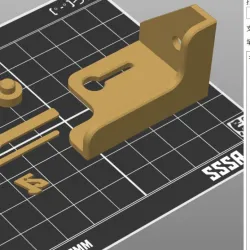
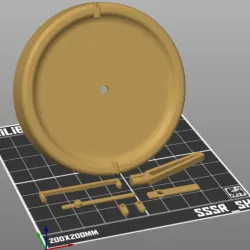
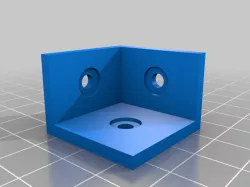
Clock dimensions: 180mm.Quartz clock movement dimensions: 55.8x55.8mm.Hole size for the logo: 2.2mm(If you want to replace the logo, the back cylinder can be set to 2mm).The bracket is installed in the corner using self-tapping screws, either M4 or M5. Only one screw is needed.(Alternatively, you can use a Plastic Hard Wall Picture Hook with a diameter of 13mm. First, nail it to the wall, then apply adhesive to the holes on the Bracket and stick it to the Hook).The top of the Bracket can be installed with a pin without using adhesive.Once the Bracket is installed, simply hang the clock on the Bracket.
No additional support is required.Recommended fill rate for the clock: 15%-20%.Recommended fill rate for the Bracket: 30%.Layer height recommended: 0.2mm.
Direct link to the original creator's page
Also Available On
More from ming


Similar Models





Model Specifications
Frequently Asked Questions
How do I download Corner Clock?
Click the "View on myminifactory" button above to visit the original model page on myminifactory. You can download the STL file directly from the creator's page.
What 3D printer can I use for this model?
This STL file is compatible with most FDM 3D printers (Creality Ender 3, Prusa MK3S+, Bambu Lab, etc.) and resin printers (Elegoo, Anycubic). Check the original page for recommended print settings and materials.
Is this 3D model free to download?
This is a premium model priced at on myminifactory. Premium models often include higher detail, multiple parts, and print-tested files.
Can I modify this STL file?
Most STL files can be modified using free software like Blender, TinkerCAD, or Meshmixer. Check the license on the original myminifactory page to see if modifications are permitted by the creator.