 Thingiverse
Clip-A-Cap (Laser Pointer)
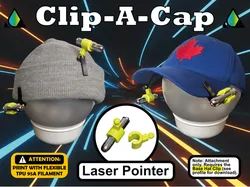
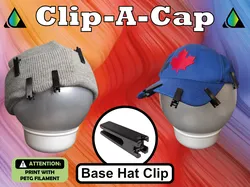
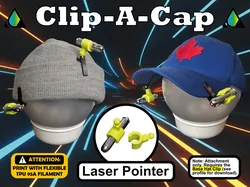
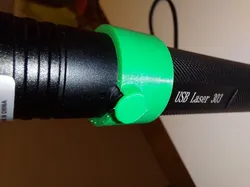
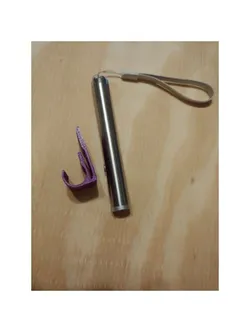
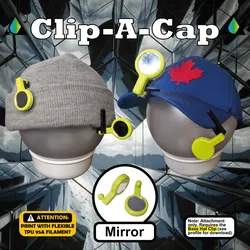
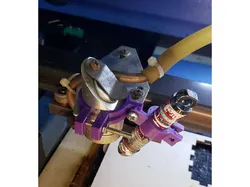
Laser Pointer Mount for Clip-A-Cap: The Modular Accessory SystemClip-A-Cap is a modular mounting platform that transforms almost any headwear into a versatile, hands-free tool station. Built on a specialized "Claw & Ball" friction-fit system, the possibilities for customization are virtually endless.Whether you’re working, reading, or exploring, Clip-A-Cap keeps everything within reach and your hands completely free.📂 Current Attachment: Laser Pointer MountBy mounting a laser to your Clip-A-Cap, you gain a hands-free pointing tool that precisely follows your line of sight.Professional Precision: Excellent for contractors, architects, or site inspectors who need to point out structural details while keeping their hands free for blueprints.Educational Aid: Perfect for teachers or tour guides who want to highlight items on a board or artifacts without being tethered to a handheld device.Movement Feedback & Rehab: Ideal for cervical (neck) proprioception exercises or visual tracking. By observing the laser’s path, you receive immediate visual feedback on your range of motion.🛠️ Hardware & CustomizationThis mount was designed around a common "pen-style" shape. I have provided the STEP file so you can easily modify the diameter for any laser you already own.Specific Laser Pointer: https://www.canadiantire.ca/en/pdp/petco-brass-laser-pointer-cat-toy-1423856p.html?rq=pet+laser+pointerAdjust It Yourself: Download the STEP file included in the "Files" section to modify the mount to fit your specific device.⚠️ Required: Base Hat ClipTo use this attachment, you must first print the Base Hat Clip. It is the foundation of the system.Download Base Clip Here: https://www.thingiverse.com/thing:7296474View Entire Collection: https://www.tryspire3d.com/⚙️ Print SettingsFilament: TPU 95A (Highly recommended). Using TPU for the attachment paired with the PETG Base Clip prevents wear and ensures the mounting system stays tight over time.Walls/Perimeters: 3 Walls (Recommended for structural integrity and a secure grip).Resolution: 0.2mmInfill: 30%Supports: No⚖️ Medical & Engineering DisclaimerPlease Read Carefully: I am not a medical professional or engineer. This design is provided as-is for informational and personal use only. Do not use this device for medical purposes without first consulting with a qualified healthcare provider. Always follow laser safety protocols; never point the laser into your eyes or the eyes of others. Use of this design is at your own risk.Safety Notice: This device is small and may be a choking hazard for children.☕ Support My Design JourneyYour support helps me fund the prototyping, material testing, and time required to bring new functional designs to the community.Support me on Ko-fi: https://ko-fi.com/tryspire3dSee the full Collection & Portfolio: https://www.tryspire3d.com/📜 License & OwnershipThis design is the intellectual property of TrySpire. It is licensed under CC BY-NC-SA 4.0, which means:👤 Attribution: You must give credit to TrySpire and link to www.tryspire3d.com.🚫 Non-Commercial: You cannot sell these files or 3D-printed physical copies of this design.🔄 Share-Alike: Any remixes must be shared under this same license.📸 Share Your Setup!If you use this for a specific project or rehab exercise, please upload a "Make." I’d love to see the Clip-A-Cap in action!🚀 What’s Next? I am constantly designing new modules. If you have a specific tool or device you'd like to see a mount for, leave a comment!
Direct link to the original creator's page
More from Tryspire
Similar Models
Model Specifications
Frequently Asked Questions
How do I download Clip-A-Cap (Laser Pointer)?
Click the "View on Thingiverse" button above to visit the original model page on Thingiverse. You can download the STL file directly from the creator's page for free.
What 3D printer can I use for this model?
This model is compatible with most FDM 3D printers (Creality Ender 3, Prusa MK3S+, Bambu Lab, etc.) and resin printers (Elegoo, Anycubic). Check the original page for recommended print settings and materials.
Is this 3D model free to download?
Yes, this model is available as a free download on Thingiverse. Some creators accept tips or donations.
Can I modify this file?
Check the license (see original page) on the original Thingiverse page. Most STL files can be modified using free software like Blender, TinkerCAD, or Meshmixer.