 Thingiverse
Filament Roller
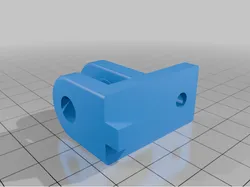
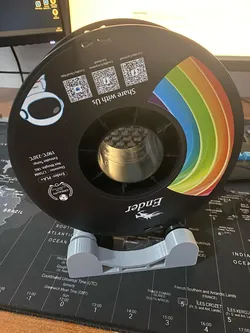
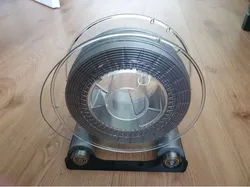
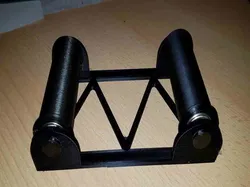
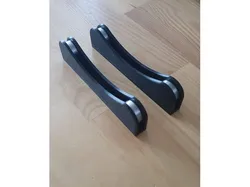
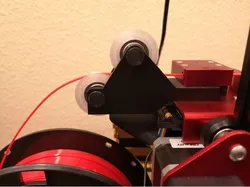
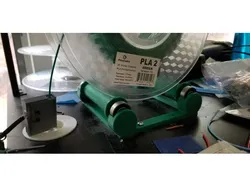
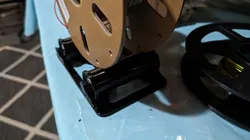
Because a filament spool never turns smoothly when it is slid onto the standard holder, I prefer to position the filament spool on ball bearings and pull the filament downwards.For this purpose I built an extra level above my printer with 2020 aluminum profiles. I used 4 profiles of 24 cm for the height and 2 profiles of 20 cm for width but these can be longer if preferred. The other profiles from front to back depend of the depth of the printer model.The filament rollers can be mounted on top of this with 4 T-slot nuts and 4 M5x8 bolts. 608ZZ ball bearings can be mounted in the filament rollers with stainless steel bolts M8x35 and stainless steel M8 lock nuts.The filament rollers can be easily adjusted so that both narrow and wide filament spools can be placed on them. The filament rollers can be secured with one bolt because there is an extra pin on the other side that slides into the profile and prevents rotation. As a result, support is required under this pin. Support is not necessary in the 3 holes of the object.
Direct link to the original creator's page
Also Available On
More from pauldistel
Similar Models
Model Specifications
Frequently Asked Questions
How do I download Filament Roller?
Click the "View on Thingiverse" button above to visit the original model page on Thingiverse. You can download the STL file directly from the creator's page for free.
What 3D printer can I use for this model?
This model is compatible with most FDM 3D printers (Creality Ender 3, Prusa MK3S+, Bambu Lab, etc.) and resin printers (Elegoo, Anycubic). Check the original page for recommended print settings and materials.
Is this 3D model free to download?
Yes, this model is available as a free download on Thingiverse. Some creators accept tips or donations.
Can I modify this file?
Check the license (see original page) on the original Thingiverse page. Most STL files can be modified using free software like Blender, TinkerCAD, or Meshmixer.