 cults3d
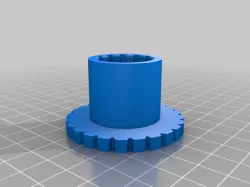
Chiron snap-on leveling knobs
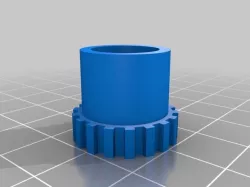
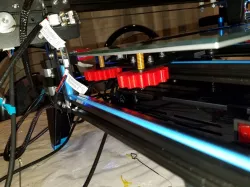
I think that leveling knobs on Chiron are too small but the printer structure doesn't leave much space for them. So, I imagined to create large snap-on knobs: you can use it only during the manual leveling operations. DON'T USE THEM during printing or other jobs.
The longer one is designed for left side knobs, the shorter for right side, in order to coexhist with PSU and electronics (you can use shorter for both sides if you prefer). The wheel of the shortest knob must be stuck in the free space of the right rail first, then inserted on the original knobs. As I said, I gave priority to the largest size possibile of my knobs, in order to make leveling as easier and more precise as possible.
Have fun!
Direct link to the original creator's page
More from alphashock
Similar Models
 thingiverse
 cults3d
 thingiverse
 thingiverse
 thingiverse
 thingiverse
 thingiverse
 thingiverse
Model Specifications
Frequently Asked Questions
How do I download Chiron snap-on leveling knobs?
Click the "View on cults3d" button above to visit the original model page on cults3d. You can download the STL file directly from the creator's page.
What 3D printer can I use for this model?
This STL file is compatible with most FDM 3D printers (Creality Ender 3, Prusa MK3S+, Bambu Lab, etc.) and resin printers (Elegoo, Anycubic). Check the original page for recommended print settings and materials.
Is this 3D model free to download?
This is a premium model priced at on cults3d. Premium models often include higher detail, multiple parts, and print-tested files.
Can I modify this STL file?
Most STL files can be modified using free software like Blender, TinkerCAD, or Meshmixer. Check the license on the original cults3d page to see if modifications are permitted by the creator.