 thingiverse
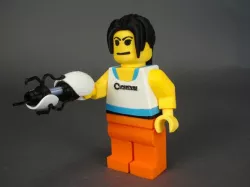
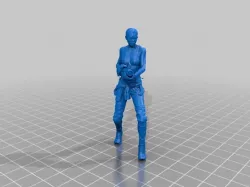
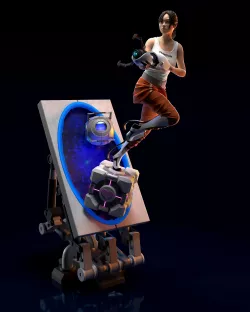
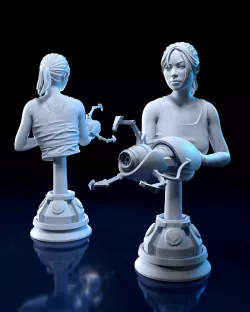
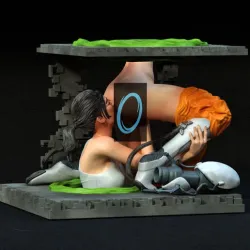
Chell
"I think we can put our differences behind us... for science... you monster."
-GLaDOS, Portal 2
Instructions
Printing
Chell Chest White.stl and Chell Chest Blue A.stl need to be printed with support material.
Aperture Logo.stl is a two color print that can be done with a filament swap. Start printing in white, after 1mm swap to black.
Use the arms and legs from:http://www.thingiverse.com/thing:170076
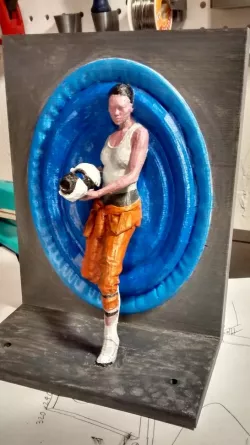
Assembly (Using the images for reference)
Slide Chell Chest Blue A down over the top of Chell Chest Black so the two fit snugly together. Press Chell Chest White in place on top of both of them.
Take Chest Blue B and fit it into place around the neck pin.
Slide Chell Chest Yellow down the neck pin, holding Chest Blue B in place.
Use glue as necessary to hold things in place.
You will also need:
The Smarty Pants Head:http://www.thingiverse.com/thing:191793
The Sporty Long Hair:http://www.thingiverse.com/thing:191709
The Portal Gun:http://www.thingiverse.com/thing:191745
Direct link to the original creator's page
Also Available On
More from skimbal
Similar Models
Model Specifications
Frequently Asked Questions
How do I download Chell?
Click the "View on thingiverse" button above to visit the original model page on thingiverse. You can download the STL file directly from the creator's page for free.
What 3D printer can I use for this model?
This STL file is compatible with most FDM 3D printers (Creality Ender 3, Prusa MK3S+, Bambu Lab, etc.) and resin printers (Elegoo, Anycubic). Check the original page for recommended print settings and materials.
Is this 3D model free to download?
Yes, this model is available as a free download on thingiverse. Some creators accept tips or donations.
Can I modify this STL file?
Most STL files can be modified using free software like Blender, TinkerCAD, or Meshmixer. Check the license on the original thingiverse page to see if modifications are permitted by the creator.