 cults3d
Carousel
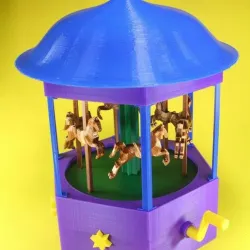
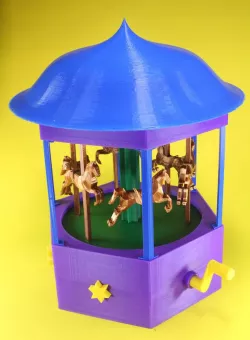
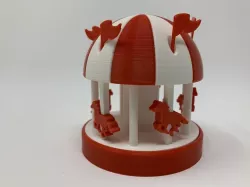
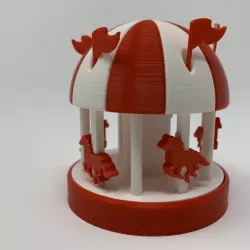
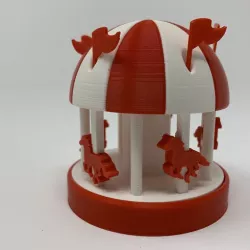
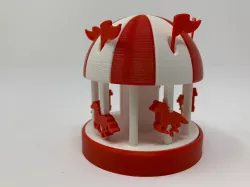
A full crank-driven carousel designed from scratch over the last couple of weeks. Everything is 3D-printed, no extra parts or glue needed.
The gears have been created using https://www.thingiverse.com/thing:3575, the horses have been designed in blender, all the rest is designed in FreeCAD.
You will need to print the following parts:
1x Base - base.stl (note the special print instructions below)
1x Main gear
I had some problems with the axis of the gear breaking when using main_gear_v1.stl, so I recommend to print main_gear_v2.stl and insert main_gear_v2_splint.stl into it for stability.
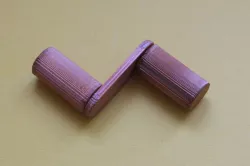
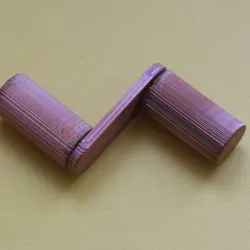
1x Crank - crank.stl
This was one of the first parts I designed for the carousel, which resulted in the Fidget Crank toy (https://www.thingiverse.com/thing:3498126)
5x Extra gear
As with the main gear I recommend to use extra_gear_v2.stl with extra_gear_v2_splint.stl inserted, instead of extra_gear_v1.stl
5x Star button
You will have to experiment whether you need star_button.stl or star_button_tight.stl for a tighter fit of the star buttons on the extra gears.
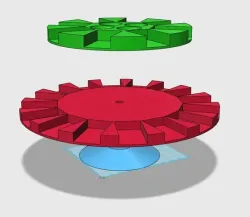
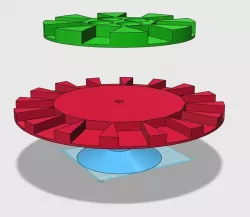
1x Path - path.stl (note the special print instructions below)
1x Big Gear - big_gear.stl (note the special print instructions below)
1x Floor - floor.stl
6x Roof holder - roof_holder.stl
1x Top - top.stl
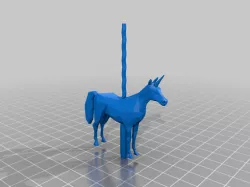
6x Horse - horse.stl (note the special print instructions below)
6x Horse stick - horse_stick.stl
1x Middle shaft - middle_shaft.stl
1x Roof - roof.stl (note the special print instructions below)
Carousel in action: https://youtu.be/OsPWfCtLtc0
Direct link to the original creator's page
Also Available On
More from scarygami
Similar Models
Model Specifications
Frequently Asked Questions
How do I download Carousel?
Click the "View on cults3d" button above to visit the original model page on cults3d. You can download the STL file directly from the creator's page.
What 3D printer can I use for this model?
This STL file is compatible with most FDM 3D printers (Creality Ender 3, Prusa MK3S+, Bambu Lab, etc.) and resin printers (Elegoo, Anycubic). Check the original page for recommended print settings and materials.
Is this 3D model free to download?
This is a premium model priced at on cults3d. Premium models often include higher detail, multiple parts, and print-tested files.
Can I modify this STL file?
Most STL files can be modified using free software like Blender, TinkerCAD, or Meshmixer. Check the license on the original cults3d page to see if modifications are permitted by the creator.