 Thingiverse
Ender Filament Coloring Guide
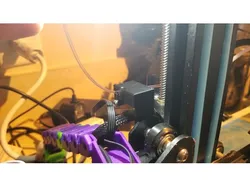
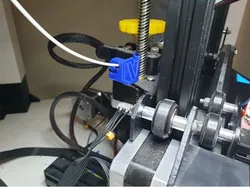
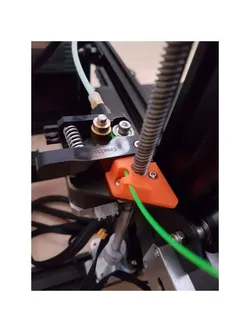
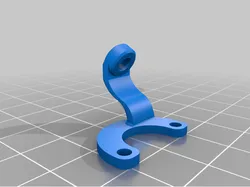
I've been coloring filament for a while to save on having to buy special colors for one offs. Normally I take and snip part of a sharpie insert off and spool a certain amount through the felt. I made this little guide to mount on the back of the Z-Axis on my printer. You snip off about 10mm of insert and close it in then run the filament through it. It will color as it goes. Being closed off inside helps to keep it from drying out as fast as well. Just take it out and use it like a normal filament guide if you don't want it colored. I used the existing Z axis bolt and 1 small m3 screw
Direct link to the original creator's page
More from Jeoncs
 Thingiverse
 Thingiverse
 Thingiverse
 Thingiverse
 Thingiverse
 Thingiverse
Similar Models
 Thingiverse
 Thingiverse
 Thangs
 Printables
 Thingiverse
 Thingiverse
 Thingiverse
 Thingiverse
Model Specifications
Frequently Asked Questions
How do I download Ender Filament Coloring Guide?
Click the "View on Thingiverse" button above to visit the original model page on Thingiverse. You can download the STL file directly from the creator's page for free.
What 3D printer can I use for this model?
This model is compatible with most FDM 3D printers (Creality Ender 3, Prusa MK3S+, Bambu Lab, etc.) and resin printers (Elegoo, Anycubic). Check the original page for recommended print settings and materials.
Is this 3D model free to download?
Yes, this model is available as a free download on Thingiverse. Some creators accept tips or donations.
Can I modify this file?
Check the license (see original page) on the original Thingiverse page. Most STL files can be modified using free software like Blender, TinkerCAD, or Meshmixer.