 cults3d
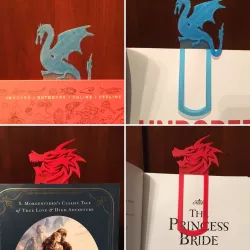
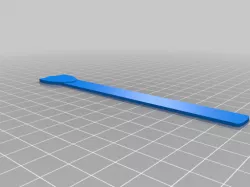
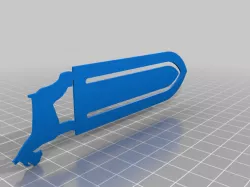
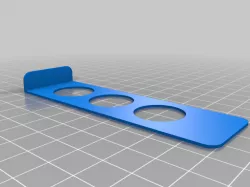
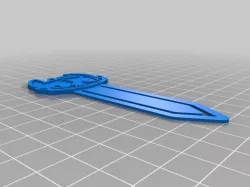
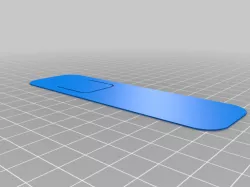
Bookmark template
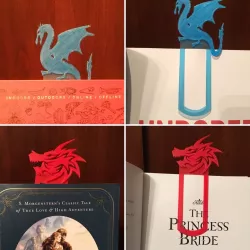
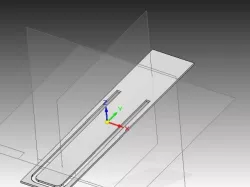
I used the program MeshMixer to separate the shells and isolate just the bookmark template from the original Unicorn Bookmark. I then used the program eXtrudy to create an object from an image then combined the object using MeshMixer create the final stl file.
Guidelines for a good bookmark:
1. Make the top object no thicker then 3 mm and about 70 mm x 70 mm at the tallest or widest. This is easy to do in MeshMixer using Edit > Transform > Size X, Size Y, or Size Z.
2. You may need to extend the top of the bookmark template a little in MeshMixer to make everything line up so it looks nice. (Select top face > Edit > Extrude)
3. Check out eXtrudy! It is a free program that works really well when creating objects from images.
Direct link to the original creator's page
Also Available On
More from runningut


Similar Models

Model Specifications
Frequently Asked Questions
How do I download Bookmark template?
Click the "View on cults3d" button above to visit the original model page on cults3d. You can download the STL file directly from the creator's page.
What 3D printer can I use for this model?
This STL file is compatible with most FDM 3D printers (Creality Ender 3, Prusa MK3S+, Bambu Lab, etc.) and resin printers (Elegoo, Anycubic). Check the original page for recommended print settings and materials.
Is this 3D model free to download?
This is a premium model priced at on cults3d. Premium models often include higher detail, multiple parts, and print-tested files.
Can I modify this STL file?
Most STL files can be modified using free software like Blender, TinkerCAD, or Meshmixer. Check the license on the original cults3d page to see if modifications are permitted by the creator.