 Pinshape
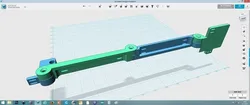
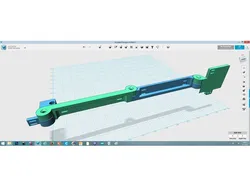
Anet A6 Cable holder X wagon
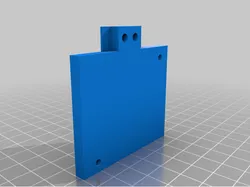
A simple way to hold the cables for the x wagon :-)
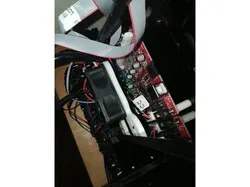
One of the problems with the Anet A6 printer is that the cable to the X wagen gets stuck with higher prints. This is my simple solution for that :-)
I recommend to use metal spacers between the moving parts
-later: It came to my understanding that some people want to use a fan so I made some extra parts to make this possible again Now there are 3 possibilities:
1: no fan with the original setup
2: for my J-Hotend mod
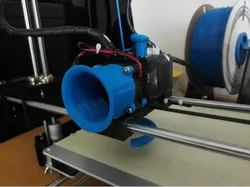
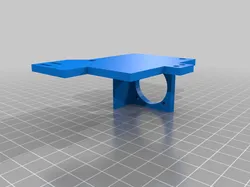
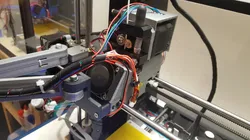
3: for a fan with the original hotendsetup also see pictures :-)
Blue PET-G one is the original setup without fan.
Black ABS one is the J-Hotend setup.
Silver ABS one is the original setup with fan
I also put the files per set up in a ZIP file to make it easier :-)
-later: I have made an additional part for this holder. See : https://pinshape.com/items/362...
Print Settings Printer: Anet A6/ CUSTOM Resolution: 0.2-0.4 Infill: 15%
Direct link to the original creator's page
Also Available On
More from jobsmolders




Similar Models
 Thingiverse
 Thingiverse
 Thingiverse
 Thingiverse
 Thingiverse
 Thingiverse
 Pinshape
 Thingiverse
Model Specifications
Frequently Asked Questions
How do I download Anet A6 Cable holder X wagon?
Click the "View on Pinshape" button above to visit the original model page on Pinshape. You can download the STL file directly from the creator's page for free.
What 3D printer can I use for this model?
This model is compatible with most FDM 3D printers (Creality Ender 3, Prusa MK3S+, Bambu Lab, etc.) and resin printers (Elegoo, Anycubic). Check the original page for recommended print settings and materials.
Is this 3D model free to download?
Yes, this model is available as a free download on Pinshape. Some creators accept tips or donations.
Can I modify this file?
Check the license (CC BY-ND) on the original Pinshape page. Most STL files can be modified using free software like Blender, TinkerCAD, or Meshmixer.