 Thingiverse
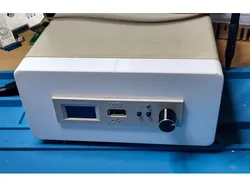
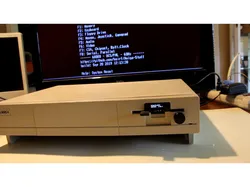
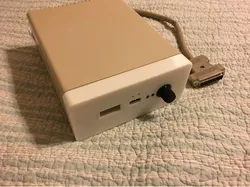
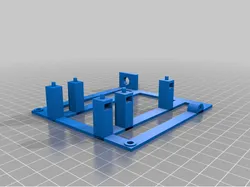
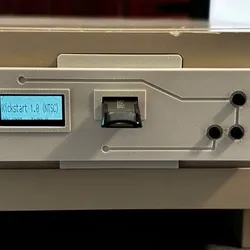
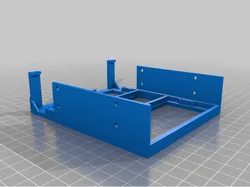
Amiga external Diskdrive A1010 Front bezel, Gotek
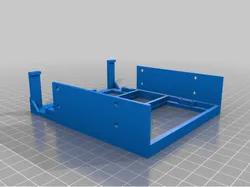
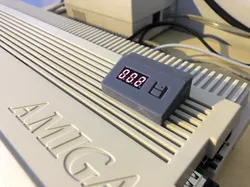
Gotek-Compatible Front PanelThis front panel is designed to fit a fully assembled Gotek USB Floppy Emulator.The physical fit in the front opening is correct. However, the mounting holes in the standard Gotek plastic case do not align with this front panel, so a small modification is required.To install the drive, you will need to drill four new 2.5 mm holes in the Gotek enclosure.Required ToolsDrill or hand drill2.5 mm drill bitMarker or awl for marking holesSmall Phillips screwdriverStep-by-Step InstructionsTest Fit FirstPlace the Gotek unit in the front panel in its final position.Disassemble the GotekOpen the Gotek enclosure and remove the circuit board before drilling.This prevents plastic debris from damaging the electronics.Drill the HolesDrill four holes using a 2.5 mm bit at the marked positions.Tips:Drill slowly — the plastic is brittleDo not apply excessive pressureKeep the drill straight to ensure proper screw alignmentClean the HolesRemove any burrs using a hobby knife or by gently twisting the drill bit by hand.This helps prevent cracks when tightening screws.Reassemble and MountReinstall the electronics into the Gotek case and screw the unit into the front panel.Do not overtighten screws — the plastic enclosure can crack.
Direct link to the original creator's page
More from VentureSWE
Similar Models
Model Specifications
Frequently Asked Questions
How do I download Amiga external Diskdrive A1010 Front bezel, Gotek?
Click the "View on Thingiverse" button above to visit the original model page on Thingiverse. You can download the STL file directly from the creator's page for free.
What 3D printer can I use for this model?
This model is compatible with most FDM 3D printers (Creality Ender 3, Prusa MK3S+, Bambu Lab, etc.) and resin printers (Elegoo, Anycubic). Check the original page for recommended print settings and materials.
Is this 3D model free to download?
Yes, this model is available as a free download on Thingiverse. Some creators accept tips or donations.
Can I modify this file?
Check the license (see original page) on the original Thingiverse page. Most STL files can be modified using free software like Blender, TinkerCAD, or Meshmixer.