 CrealityCloud
3D printer bestanden | 3MF | Skyward Valor Jet Launch Desk Statue
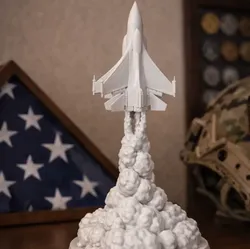
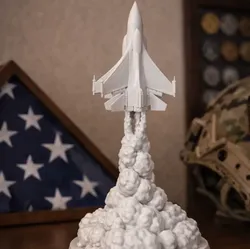
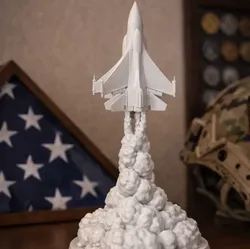
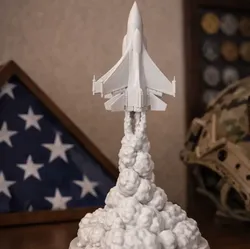
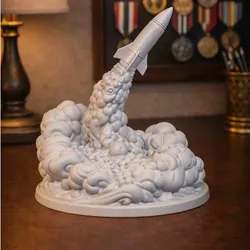
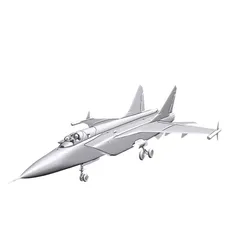
Capture the power and determination of flight with this dramatic jet launch desk statue. The sculpture depicts a fighter jet soaring upward through clouds of smoke as it takes off, symbolizing strength, innovation, and the spirit of aviation.The detailed smoke plume and jet silhouette create a bold centerpiece perfect for shelves, desks, or military memorabilia displays. It’s a tribute-style piece that works well for aviation enthusiasts, veterans, and anyone who appreciates aircraft design.Perfect for:• Aviation enthusiasts• Military memorabilia displays• Office desk decor• Collector shelves• Veteran gifts• Aerospace fansThe model prints in one solid color, which highlights the layered smoke effects and the sharp lines of the aircraft. When printed on a Creality K1 Max, the detail stands out beautifully while keeping the piece clean and modern.If you enjoy unique 3D printed creations like this, follow and like to see more designs and upcoming prints.
Direct link to the original creator's page
More from Sirprintzalot
 CrealityCloud
 CrealityCloud
 CrealityCloud
 CrealityCloud
 CrealityCloud
 CrealityCloud
Similar Models
 CrealityCloud
 CrealityCloud
 CrealityCloud
 CrealityCloud
 GrabCAD
 Cults3D
 Cults3D
 CGTrader
Model Specifications
Frequently Asked Questions
How do I download 3D printer bestanden | 3MF | Skyward Valor Jet ...?
Click the "View on CrealityCloud" button above to visit the original model page on CrealityCloud. You can download the 3MF, STL file directly from the creator's page for free.
What 3D printer can I use for this model?
This model is compatible with most FDM 3D printers (Creality Ender 3, Prusa MK3S+, Bambu Lab, etc.) and resin printers (Elegoo, Anycubic). Check the original page for recommended print settings and materials.
Is this 3D model free to download?
Yes, this model is available as a free download on CrealityCloud. Some creators accept tips or donations.
Can I modify this file?
Check the license (see original page) on the original CrealityCloud page. Most STL files can be modified using free software like Blender, TinkerCAD, or Meshmixer.