 grabcad
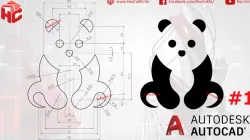
bear
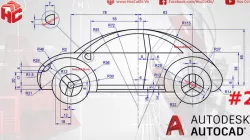
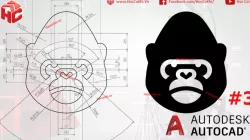
[hoccokhi] Bài tập autocad nâng cao - bài 01 | hướng dẫn vẽ con gấu trên phần mềm autocad | Học AutoCAD cơ bản - nâng caoKhóa học AutoCAD: http://bit.ly/2GUOKUjLink tải bài tập con gấu: https://bit.ly/3fWXMy0Nhiều bài tập hơn tại Group: CLB AutoCADbài tập autocad nâng cao khó phức tạp, bài tập autocad 2d, luyện vẽ autocad, thực hành luyện vẽ autocad, bài tập autocad dành cho người mới bắt đầu, dạy vẽ autocadAutoCAD, Tự học Autocad, Video học Autocad, Học Autocad, Hướng dẫn sử dụng Autocad, Giáo trình Autocad, Autocad cơ bảnautocad, autocad tutorial, autocad coursebài tập autocad, thực hành autocad, vẽ autocad, học vẽ autocad, vẽ cad, cad 2d, autocad 2007, tự học autocad, hướng dẫn autocadLink Video: https://www.youtube.com/channel/UCn5JjQndpMfqBaFVY3FNQ6A/videosWebsite: Http://www.hoccokhi.vn/HotLine: 033.666.2767Email: [email protected]: Facebook.com/HocCoKhi/Youtube : Học Cơ KhíChi nhánh 1: 68/12 Trần Tấn, Tân Sơn Nhì, quận Tân Phú, Tp.HCMChi nhánh 2: 58 Hữu Nghị, Bình Thọ, Thủ Đức
Direct link to the original creator's page
More from khi
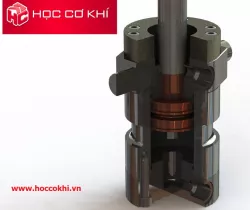
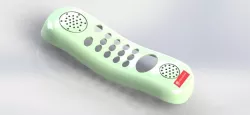
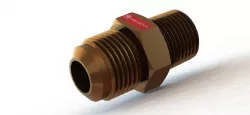
Similar Models
Model Specifications
Frequently Asked Questions
How do I download bear?
Click the "View on grabcad" button above to visit the original model page on grabcad. You can download the STL file directly from the creator's page for free.
What 3D printer can I use for this model?
This STL file is compatible with most FDM 3D printers (Creality Ender 3, Prusa MK3S+, Bambu Lab, etc.) and resin printers (Elegoo, Anycubic). Check the original page for recommended print settings and materials.
Is this 3D model free to download?
Yes, this model is available as a free download on grabcad. Some creators accept tips or donations.
Can I modify this STL file?
Most STL files can be modified using free software like Blender, TinkerCAD, or Meshmixer. Check the license on the original grabcad page to see if modifications are permitted by the creator.