 thingiverse
Basic Shapes
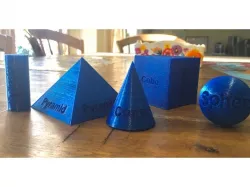
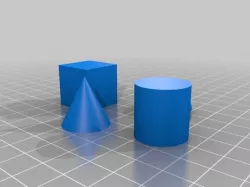
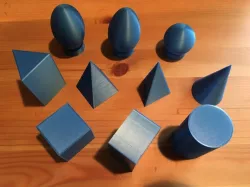
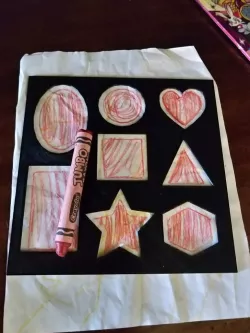
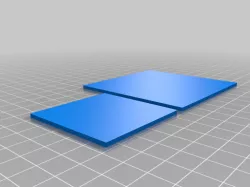
My wife started homeschooling our kids this year. One of the first things she asked me to print were some basic shapes she could use while teaching. She's already used them several times during class!
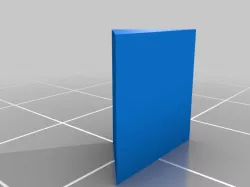
I'm also planning on printing a few more shapes, such as a rectangle, pentagon, and octagon.
Print Settings
Printer:
Flyingbear P902
Rafts:
No
Supports:
No
Resolution:
.2
Infill:
5%
Notes:
These were all printed with PLA. The bed was heated to 55 degrees celsius.
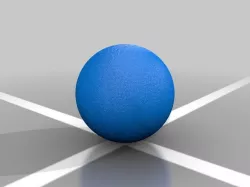
I had to print the sphere several times because it kept popping off the bed. In hindsight, I should have added supports to it, but, I wanted it to turn out smooth without marks from having to remove support structures.
How I Designed This
The shapes were all designed using Autodesk 123d Design.
Direct link to the original creator's page
Also Available On
More from bsween24
Similar Models
 thingiverse
 thingiverse
 thingiverse
 thingiverse
 thingiverse
 thingiverse
 thingiverse
 thingiverse
Model Specifications
Frequently Asked Questions
How do I download Basic Shapes?
Click the "View on thingiverse" button above to visit the original model page on thingiverse. You can download the STL file directly from the creator's page for free.
What 3D printer can I use for this model?
This STL file is compatible with most FDM 3D printers (Creality Ender 3, Prusa MK3S+, Bambu Lab, etc.) and resin printers (Elegoo, Anycubic). Check the original page for recommended print settings and materials.
Is this 3D model free to download?
Yes, this model is available as a free download on thingiverse. Some creators accept tips or donations.
Can I modify this STL file?
Most STL files can be modified using free software like Blender, TinkerCAD, or Meshmixer. Check the license on the original thingiverse page to see if modifications are permitted by the creator.