 CrealityCloud
3D printer bestanden | 3MF | JAPANDI BUNNY - LONG NORMAL VERSION 🐰 -EASTERN
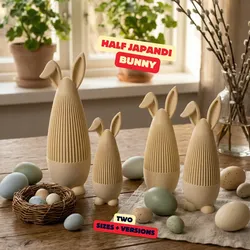
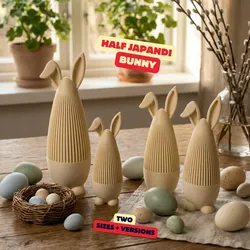
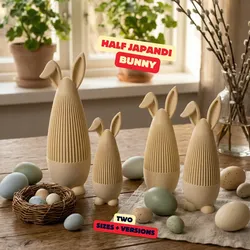
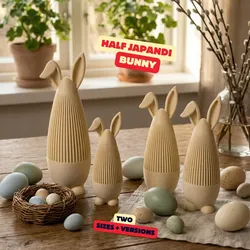
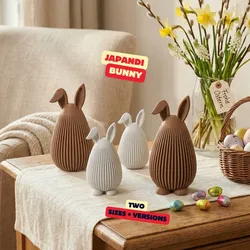
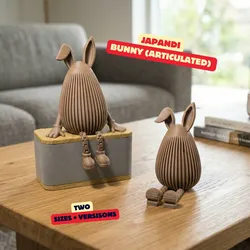
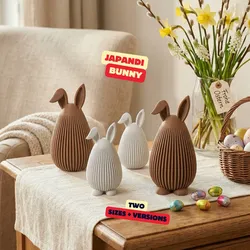
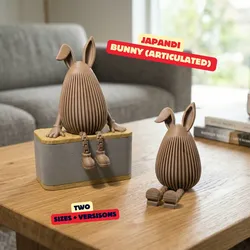
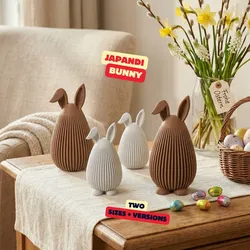
Follow us on Instagram (sektor7_studios_3d)JAPANDI BUNNY - LONG NORMAL VERSION 🐰Minimal meets texture.The Half Japandi Bunny features a unique split design: a smooth lower half combined with a clean ribbed upper structure — blending softness and structure in one sculptural piece.Designed for modern interiors and timeless Easter decor.✨ Features• Two sizes• Two versions: with little legs or without legs• Elegant half-texture design• Soft organic silhouette• Support-free print• Beautiful light & shadow playThe version with little legs feels slightly more playful, while the version without legs looks extra minimal and architectural.Perfect for earthy tones, matte neutrals, warm beige, sand colors, or soft pastels.Let me know what you think — and feel free to share your prints in the comments 🔥Enjoy & happy printing!★ RECOMMEND PRINT-SETTINGS- Filament: Bambulab PLA Matte brown (used in our make)- Infill: 8% Gyroid- Layer Height: 0.2mm- Walls: 2- Nozzle Size: 0.4mm- Support Structure: needed- Brim: None needed, but when you have adhesion problems than activate the brimSupport us on Patreon (commercial licenses) to access exclusive content and be the first to see our new projects. Your support enables us to keep creating innovative and practical designs for makers everywhere:https://www.patreon.com/c/sektor7_studiosGreetingsLeon from Sektor 7 Studios
Direct link to the original creator's page
More from Sektor 7 Studios
 CrealityCloud
 CrealityCloud
 Thangs
 Thangs
 Thangs
 Thangs
Similar Models
 CrealityCloud
 CrealityCloud
 CrealityCloud
 CrealityCloud
 CrealityCloud
 CrealityCloud
 CrealityCloud
 CrealityCloud
Model Specifications
Frequently Asked Questions
How do I download 3D printer bestanden | 3MF | JAPANDI BUNNY - LO...?
Click the "View on CrealityCloud" button above to visit the original model page on CrealityCloud. You can download the 3MF, STL file directly from the creator's page for free.
What 3D printer can I use for this model?
This model is compatible with most FDM 3D printers (Creality Ender 3, Prusa MK3S+, Bambu Lab, etc.) and resin printers (Elegoo, Anycubic). Check the original page for recommended print settings and materials.
Is this 3D model free to download?
Yes, this model is available as a free download on CrealityCloud. Some creators accept tips or donations.
Can I modify this file?
Check the license (see original page) on the original CrealityCloud page. Most STL files can be modified using free software like Blender, TinkerCAD, or Meshmixer.