 prusaprinters
Arcade Button
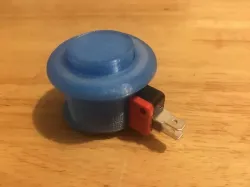
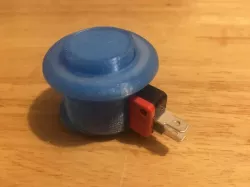
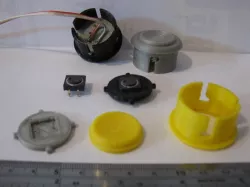
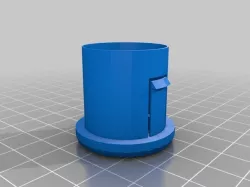
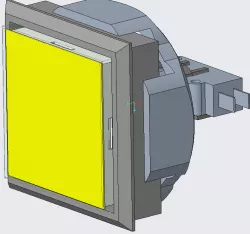
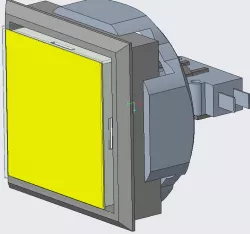
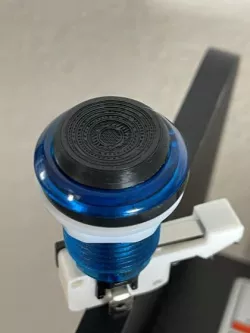
This is a remix of an arcade button made by LNJ-Designs. I altered his design so that I could use the microswitches that I already had. My version is designed for these microswitches sold at Jaycar (https://www.jaycar.com.au/spdt-250vac-5a-micro-switch/p/SM1050). Refer to the screenshots on how to put them together. Refer to the Prusa Slic3r screenshot for best printing layout.
Assembly:
Step 1: Insert the Button Part inside the the Body Top part. Make sure that the widest part of the button is sitting on the inside of the Body Top.
Step 2: Slide the Body Base inside the Body Top, glue it in place if it's loose.
Step 3: Slide the microswitch inside of the button. Push it all the way back until the Ground connection is pressed up against the Body Base.
Print Settings
Printer Brand:
Creality
Printer:
Ender 3 Pro
Rafts:
Doesn't Matter
Supports:
Doesn't Matter
Post-Printing
Category: Video Games
Direct link to the original creator's page
Also Available On
More from spark



Similar Models
Model Specifications
Frequently Asked Questions
How do I download Arcade Button?
Click the "View on prusaprinters" button above to visit the original model page on prusaprinters. You can download the STL file directly from the creator's page for free.
What 3D printer can I use for this model?
This STL file is compatible with most FDM 3D printers (Creality Ender 3, Prusa MK3S+, Bambu Lab, etc.) and resin printers (Elegoo, Anycubic). Check the original page for recommended print settings and materials.
Is this 3D model free to download?
Yes, this model is available as a free download on prusaprinters. Some creators accept tips or donations.
Can I modify this STL file?
Most STL files can be modified using free software like Blender, TinkerCAD, or Meshmixer. Check the license on the original prusaprinters page to see if modifications are permitted by the creator.