 youmagine
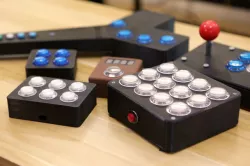
Arcade Button Controller Box
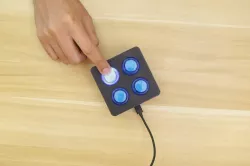
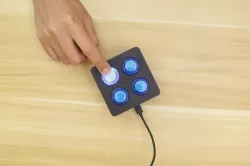
This is a DIY controller box with arcade buttons and an Adafruit Feather M0 Express. When this box is connected to your computer, it behaves just like a USB HID Keyboard. Press a button and it types a letter! It's really simple and easy to manipulate the software so you can output single characters, or string multiple characters together to execute commands! The software is written in CircuitPython. Check out the full tutorial for this project on the Adafruit Learning System - https://learn.adafruit.com/arcade-button-control-box/overview
Adafruit Feather M0 Expresshttps://www.adafruit.com/product/3403
24mm LED Arcade Buttonshttps://www.adafruit.com/product/3432
Layer by Layer CAD Tutorial â Arcade Button Box (Parametric)
Direct link to the original creator's page
Also Available On
More from ruiz

Similar Models
 cults3d
 pinshape
 thingiverse
 prusaprinters
 cults3d
 thingiverse
 cults3d
 prusaprinters
Model Specifications
Frequently Asked Questions
How do I download Arcade Button Controller Box?
Click the "View on youmagine" button above to visit the original model page on youmagine. You can download the STL file directly from the creator's page for free.
What 3D printer can I use for this model?
This STL file is compatible with most FDM 3D printers (Creality Ender 3, Prusa MK3S+, Bambu Lab, etc.) and resin printers (Elegoo, Anycubic). Check the original page for recommended print settings and materials.
Is this 3D model free to download?
Yes, this model is available as a free download on youmagine. Some creators accept tips or donations.
Can I modify this STL file?
Most STL files can be modified using free software like Blender, TinkerCAD, or Meshmixer. Check the license on the original youmagine page to see if modifications are permitted by the creator.