 thingiverse
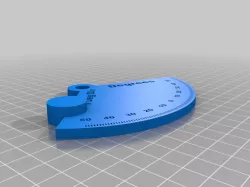
Angle Gauge
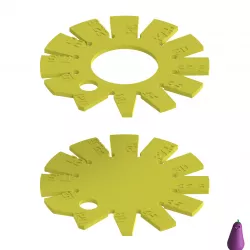
I consider this a remix since it's built on the Radius Gauge by @grantstevens from back in 2015.
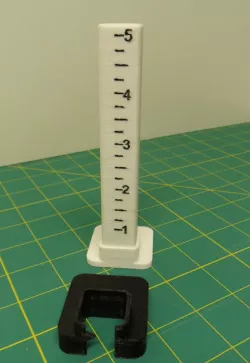
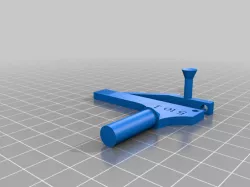
I printed both of his radius gauges and thought this could make a useful angle gauge too with some tweaking so off to my drawing board (SketchUp Pro 2022) I went.
I did away with the raised text. The hash marks and the text are all embossed to 1mm depth. When you print you need to put down 3 or 4 layers of contrasting filament BELOW the bottom of the text. The body is 5mm thick so measuring up you would change colors 4 or 5 layers (depending on your print resolution of .20 or .25) BELOW the bottom of the text (which is 4mm) and print using your second color then switch back to the primary color to finish out the print job. Look at my .3mf files and you should have no trouble figuring it out.
When printing the pointer you only need one color which I choose to do using the primary color for maximum contrast in the indicator window. But you might want to use your secondary color. Either way works.
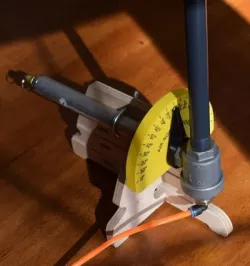
Increased the size a bit to get enough room for one degree hash marks. I lengthened the pointer and put a window in the end that lays right over the hash marks and is the same size. So when you are aligned on a mark you know you're on a full degree. Between there you can extrapolate to a half degree fairly accurately. Beyond that you're guessing.
It's only intended for casual angle measurements. If you need precision then look elsewhere. :-)
This gauge because of the design only covers plus or minus 45 degrees from flat. I may make another scale that will go beyond that at a later date.
Direct link to the original creator's page
Also Available On
More from d
Similar Models
Model Specifications
Frequently Asked Questions
How do I download Angle Gauge?
Click the "View on thingiverse" button above to visit the original model page on thingiverse. You can download the STL file directly from the creator's page for free.
What 3D printer can I use for this model?
This STL file is compatible with most FDM 3D printers (Creality Ender 3, Prusa MK3S+, Bambu Lab, etc.) and resin printers (Elegoo, Anycubic). Check the original page for recommended print settings and materials.
Is this 3D model free to download?
Yes, this model is available as a free download on thingiverse. Some creators accept tips or donations.
Can I modify this STL file?
Most STL files can be modified using free software like Blender, TinkerCAD, or Meshmixer. Check the license on the original thingiverse page to see if modifications are permitted by the creator.