 thingiverse
Ambiguous Object
Ambiguous Object
Heegyung Kim
October 12, 2021
George Mason University MATH 401: Mathematics Through 3D Printing
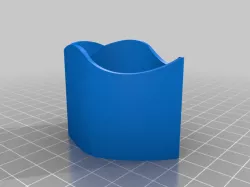
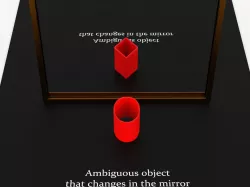
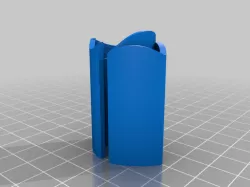
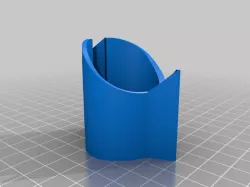
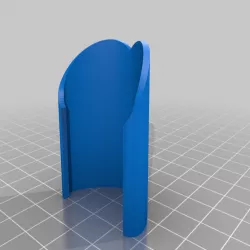
This object represents an ambiguous object, a mathematical optical illusion discovered by Kokichi Sugihara. He is a professor at Meiji University in Tokyo, Japan, and has won many awards in 3D optical illusions. When the object is reflected in a mirror, its appearance in the mirror is changed from the object that is being reflected. For my object, it forms a pentagon on one side and a circle on the other side when it is seen at a 45° angle downward. It is created by taking addition and difference between the functions for a pentagon and a circle.
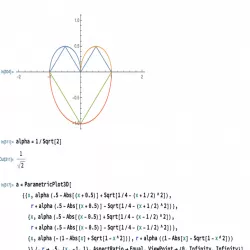
From coding this object in Mathematica, there was a problem. I used the Piecewise function to build the diamond-shaped pentagon. However, it created a gap or space between the corners of the shape. This would make the object fall apart, not one piece object. So, I needed to create functions that would have the same interval and use the Show function to put all the pieces of the functions to make a pentagon. Overall, I used 6 functions to shape a pentagon and 2 functions to shape a circle.
For this assignment, I used Mathematica to build this object and exported it as an STL file. Ultimaker Cura was used to printing the object. It used the ABS Orange filament and a brim for the build plate adhesion. It took about 3 hours to print the object and the dimension was about 42 x 55.7 x 43.3 mm.
Source:
http://www.isc.meiji.ac.jp/~kokichis/Welcomee.html
Direct link to the original creator's page
Also Available On
More from hkmath401
Similar Models
Model Specifications
Frequently Asked Questions
How do I download Ambiguous Object?
Click the "View on thingiverse" button above to visit the original model page on thingiverse. You can download the STL file directly from the creator's page for free.
What 3D printer can I use for this model?
This STL file is compatible with most FDM 3D printers (Creality Ender 3, Prusa MK3S+, Bambu Lab, etc.) and resin printers (Elegoo, Anycubic). Check the original page for recommended print settings and materials.
Is this 3D model free to download?
Yes, this model is available as a free download on thingiverse. Some creators accept tips or donations.
Can I modify this STL file?
Most STL files can be modified using free software like Blender, TinkerCAD, or Meshmixer. Check the license on the original thingiverse page to see if modifications are permitted by the creator.