 thingiverse
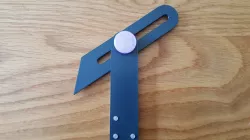
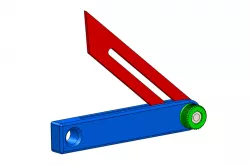
Adjustable Bevel Gauge
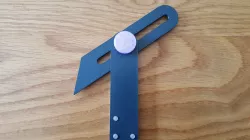
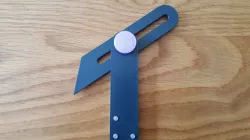
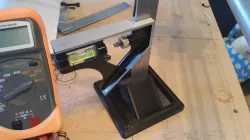
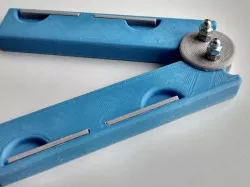
A basic engineering hand tool to transfer the angles of objects to paper. Push the side of the blade up against the angle you want to measure, transfer the tool to paper and by placing a pencil up against the blade, you can draw the angle.
This was a project designed for learning CAD software and machining so I thought I would share my tweaked design which I have made 3D printable. Although the nut does not have a screw thread, pulling it out to move the blade and then pressing it back in holds the blade lightly in place for drawing.
During assembly, some of the components may be tight to begin with (especially the rivets/bolts) so you may have to force them in. These components will also wear down eventually so I advise printing this out of PETG if you want it to last or PLA if you just want it to look good.
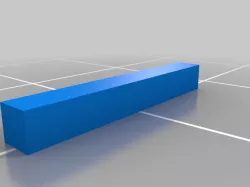
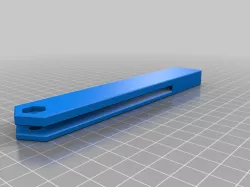
---Please view images for assembly instructions---
If the parts do not fit together and you are using a well calibrated printer then please send a comment to let me know as I may have accidently uploaded an outdated file.
Direct link to the original creator's page
Also Available On
More from iteration3d
Similar Models
 cults3d
 prusaprinters
 thingiverse
 thingiverse
 thingiverse
 thingiverse
 thingiverse
 thingiverse
Model Specifications
Frequently Asked Questions
How do I download Adjustable Bevel Gauge?
Click the "View on thingiverse" button above to visit the original model page on thingiverse. You can download the STL file directly from the creator's page for free.
What 3D printer can I use for this model?
This STL file is compatible with most FDM 3D printers (Creality Ender 3, Prusa MK3S+, Bambu Lab, etc.) and resin printers (Elegoo, Anycubic). Check the original page for recommended print settings and materials.
Is this 3D model free to download?
Yes, this model is available as a free download on thingiverse. Some creators accept tips or donations.
Can I modify this STL file?
Most STL files can be modified using free software like Blender, TinkerCAD, or Meshmixer. Check the license on the original thingiverse page to see if modifications are permitted by the creator.