 Thingiverse
Exhaust check valve for K40 Laser
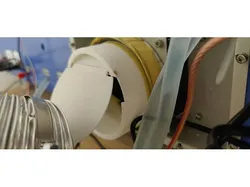
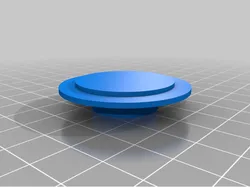
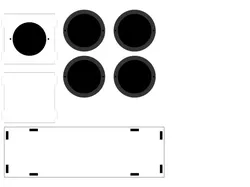
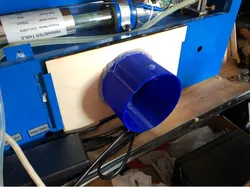
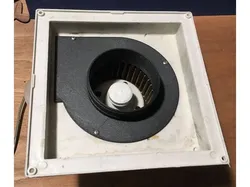
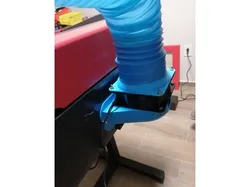
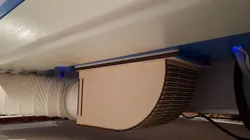
Update as of February6, 2022:Added a protection ring to keep the axle in place and to prevent flap from touching the exhaust tube. Flapdesign adjusted for clearance. See last picture.This is a simple to print and assemble check valve preventing cold air getting into the room, where the K40 is located.Use a piece of welding rod or filament as an axle. Fix the axle to the flap with superglue if needed. Cut the axle a bit shorther than flush to prevent binding on the exhausttube. New: Use the protection ring if applicable to keep axle in place and protect flap from exhausttube..You might need to add a bit of maskingtape around the tube for an airtight fit to the K40.Here it is in action:https://youtu.be/11aAburDRqoThis is only tested with the new type of K40 with an integrated exhaust 24V fan.OpenSCAD file is included as usual for easy adjusting.Have fun!CheersArmin
Direct link to the original creator's page
Also Available On
More from Arminth
 Thingiverse
 Thingiverse
 Thingiverse
 Thingiverse
 Thingiverse
 Thingiverse
Similar Models
 Printables
 Thingiverse
 Thingiverse
 Thingiverse
 Thingiverse
 Thingiverse
 Thingiverse
 Thingiverse
Model Specifications
Frequently Asked Questions
How do I download Exhaust check valve for K40 Laser?
Click the "View on Thingiverse" button above to visit the original model page on Thingiverse. You can download the STL file directly from the creator's page for free.
What 3D printer can I use for this model?
This model is compatible with most FDM 3D printers (Creality Ender 3, Prusa MK3S+, Bambu Lab, etc.) and resin printers (Elegoo, Anycubic). Check the original page for recommended print settings and materials.
Is this 3D model free to download?
Yes, this model is available as a free download on Thingiverse. Some creators accept tips or donations.
Can I modify this file?
Check the license (see original page) on the original Thingiverse page. Most STL files can be modified using free software like Blender, TinkerCAD, or Meshmixer.